Learning Management Systems are powerful — but most are designed around capability, not clarity. Squadra aimed to fix that: redesigning the admin experience from the ground up so the tool gets out of the way and lets people do their best work.
Before sketching a single wireframe, we committed to understanding the actual problem. Research ran in two parallel tracks — qualitative depth and quantitative breadth.
30+ fields on a single course creation page with no logical grouping, no progress indication, and no auto-save.
KPIs buried 4–5 clicks deep. Admins couldn't answer basic questions about course performance without significant navigation.
Deep nested menus with inconsistent labels. Users frequently backtracked or relied on browser history to navigate.
Course lists had no compound filtering, no saved views, and search was limited to exact-match title queries only.
"I spend half my time just trying to find where things are. Creating a course should take 10 minutes — it takes me 45."
— LMS Admin, User Research InterviewTwo user personas emerged — each with different success criteria. Balancing power with simplicity required designing a system that could serve both without compromise.
Manages hundreds of courses, users, and reports. Works at high volume daily. Values efficiency above all — any friction compounds across hundreds of tasks.
Creates content periodically, not daily. Benefits from progressive disclosure and step-by-step flows. Easily overwhelmed by information-dense interfaces.
We analyzed three leading LMS platforms — identifying what to learn from, what to avoid, and where the gap in the market was widest.
| Platform | Strengths | Weaknesses | Squadra Opportunity |
|---|---|---|---|
| Moodle | Highly Powerful | Steep Learning Curve | Simplify without losing capability |
| Teachable | Easy Onboarding | Limited for Admins | Add depth while keeping clarity |
| Coursera | Structured Content | Rigid Workflows | Flexibility with guided structure |
The opportunity was clear: combine Moodle's power, Teachable's simplicity, and Coursera's structure — in a single, cohesive admin experience that respects users' time.
Every stage of the primary admin journey was analyzed for friction, cognitive load, and opportunities to accelerate task completion.
These principles became our shared design language — guiding every decision from information architecture to micro-interaction behavior.
Each screen solves a specific, well-defined problem. Every design decision has a rationale rooted in research findings.
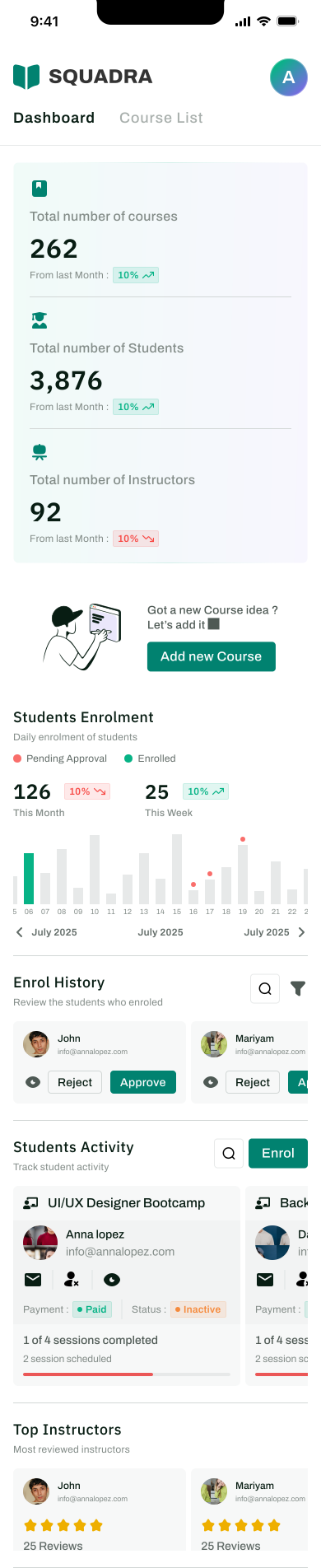
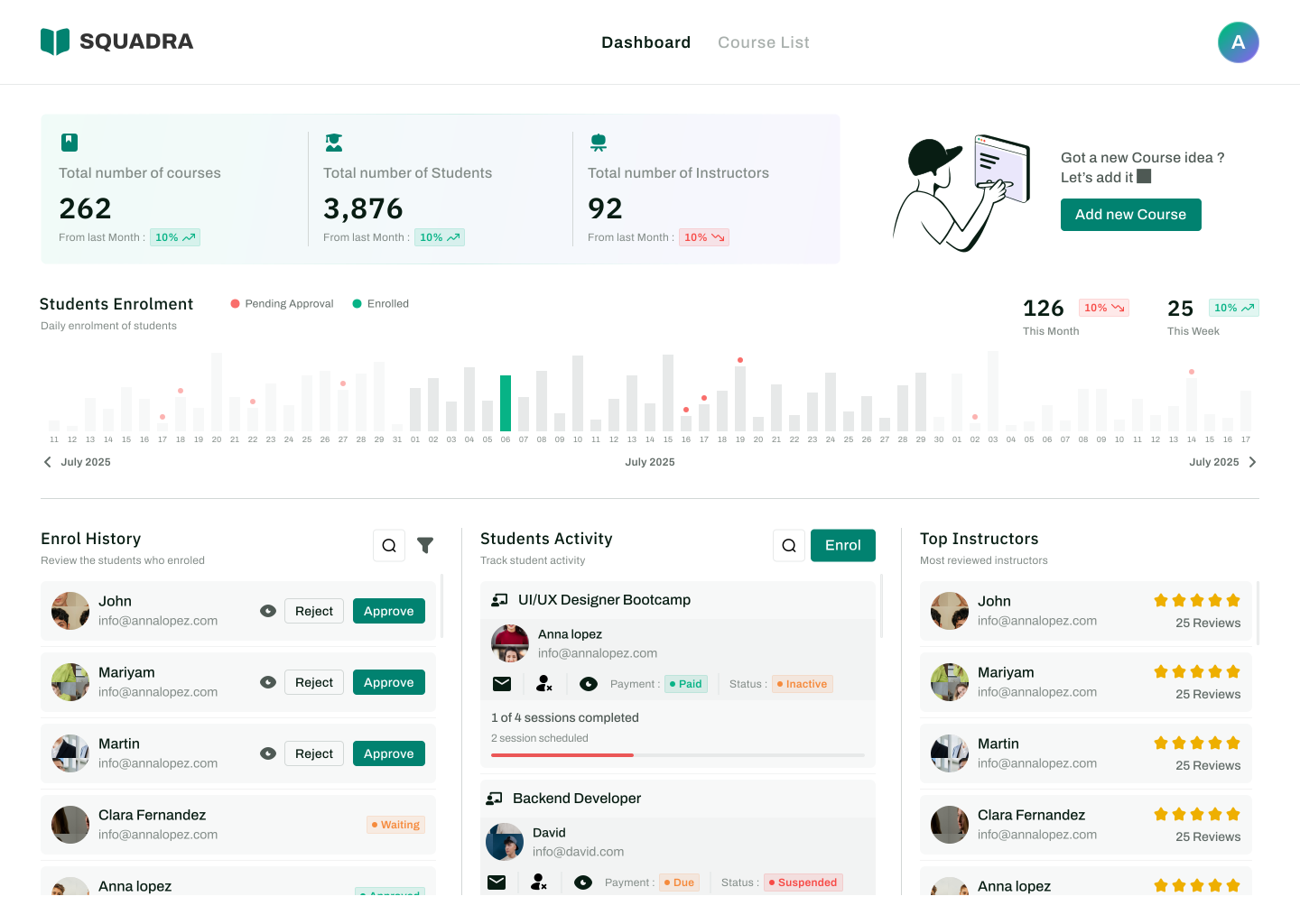
Replaced information overload with a scannable command center. KPI cards, activity feed, and quick actions — visible without a single scroll. Admins can assess the state of their platform in under 10 seconds.
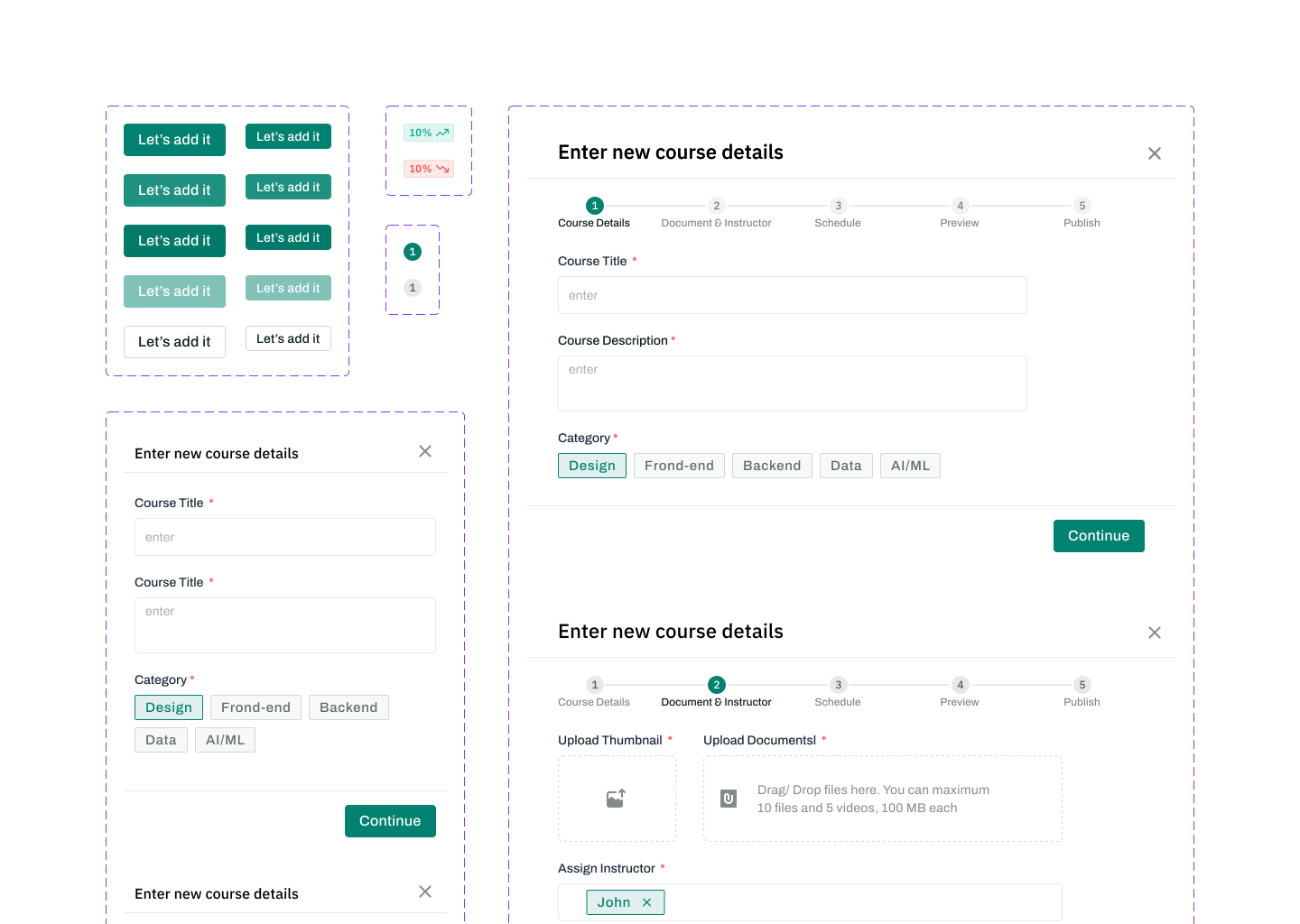
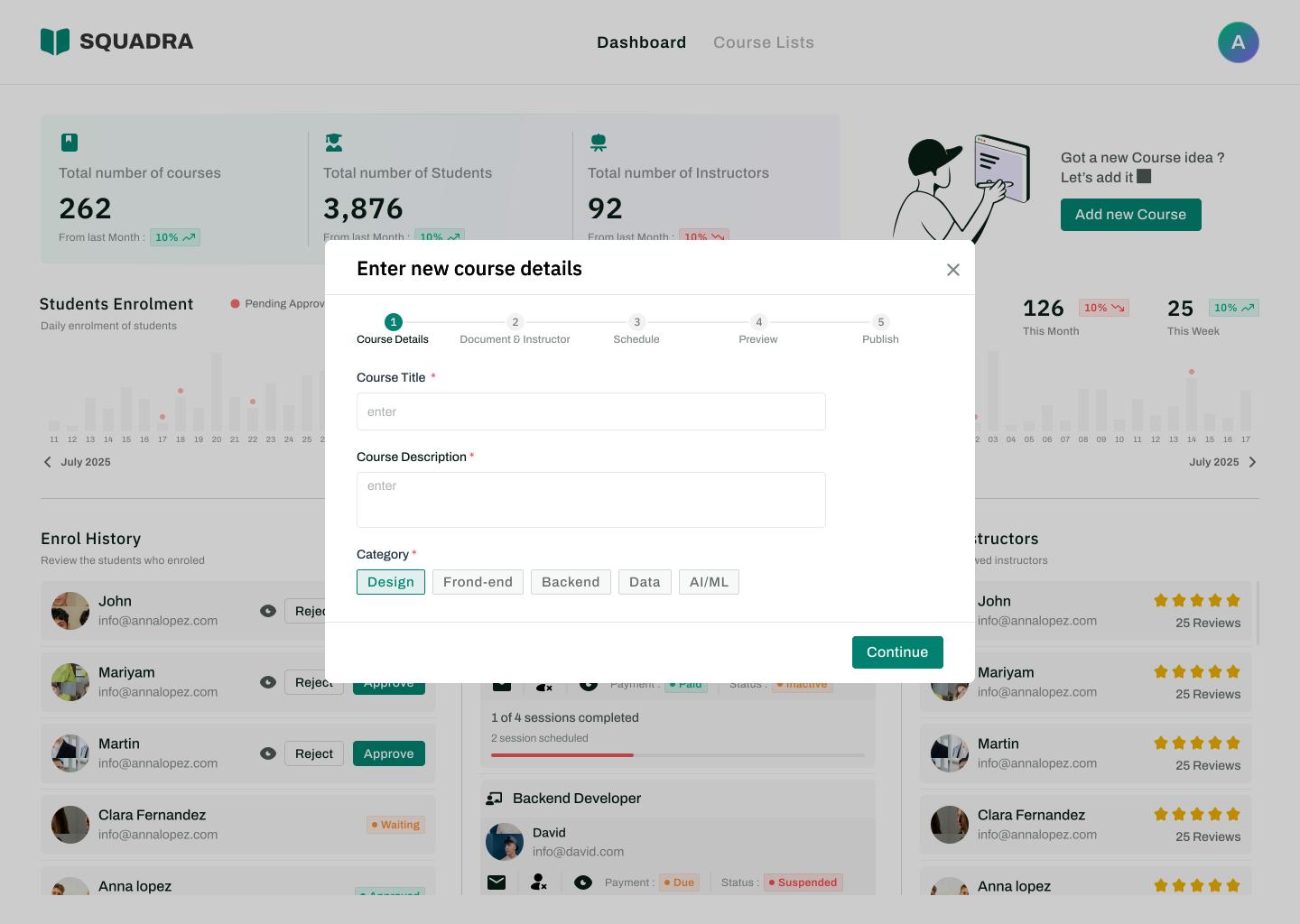
The single biggest source of drop-off — a monolithic 30-field form — replaced with a five-step guided wizard. Each step has a single focus, reducing cognitive load dramatically. Auto-save means nothing is ever lost.
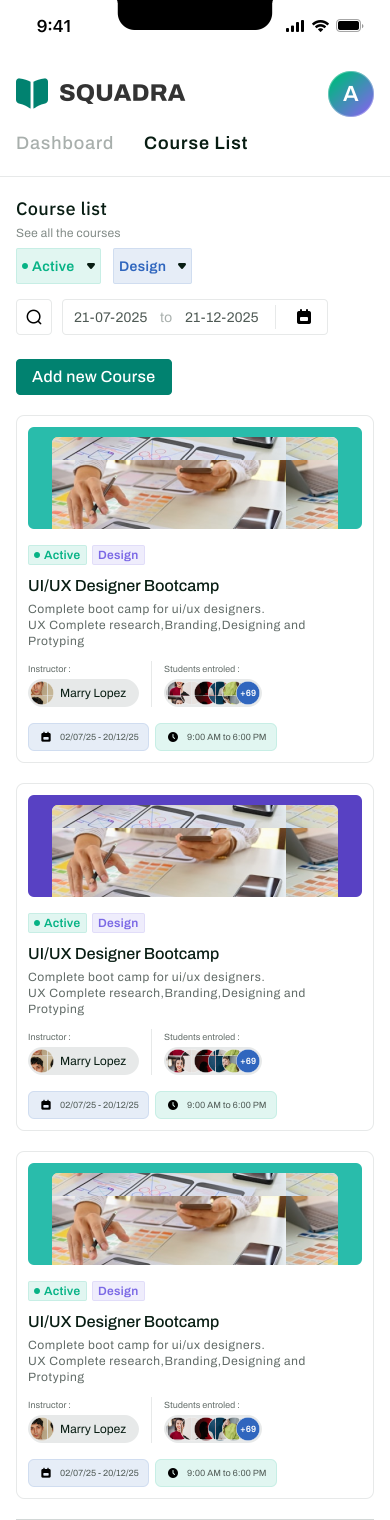
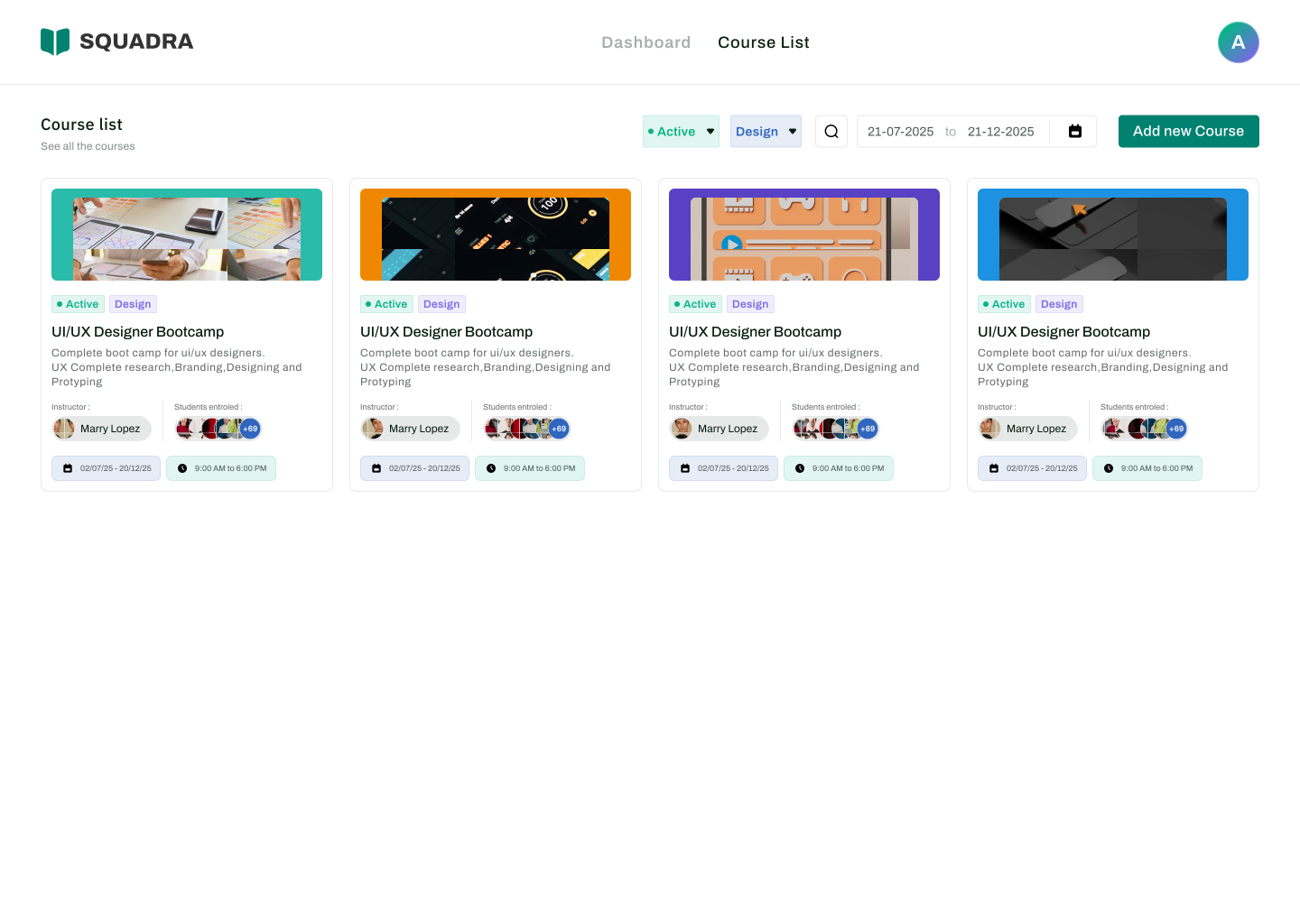
Admins managing large catalogs need to find, filter, and act on courses at speed. The redesigned list combines advanced multi-dimensional filtering with bulk selection — turning a passive list into an active management surface.
Usage data showed 23% of admin access coming from mobile. Both experiences were designed intentionally — not as afterthoughts. Desktop for power, mobile for speed.
Persistent sidebar navigation. Multi-column data tables. Hover states and keyboard shortcuts for power users. Full filter panel visible by default.
Collapsible bottom navigation. Card-based layouts replacing data tables. Sticky primary actions accessible with thumbs. Simplified filter drawer on demand.
Consistency doesn't happen by accident. Every visual decision — from color to typography to component behavior — was documented and systematized to enable scalable, coherent growth.
Great admin UX is invisible — until something goes wrong. Feedback systems were built to prevent errors and communicate status at every stage of every workflow.
Field-level errors appear on blur, not on submit. Required fields are indicated upfront — not flagged after a failed attempt.
Every action has a loading, success, and error state. Toast notifications confirm actions without interrupting the user's flow.
Designed as opportunities, not dead ends. Empty course lists prompt creation; empty search results suggest alternative filter combinations.
Destructive actions (delete, unpublish) require secondary confirmation. All non-destructive actions are undoable within 5 seconds.
Design decisions were validated against measurable outcomes. Four metrics defined success across the redesigned experience.
The redesign produced measurable improvements across every targeted workflow — validated through usability testing with 12 participants across both user types.
Course creation time dropped from an average of 45 minutes to 18 minutes — a 60% reduction validated in usability testing.
Navigation-related errors dropped by 72% in testing. Users found their target in fewer clicks on every measured flow.
SUS score improved from 52 (poor) to 88 (excellent) — a jump of 36 points, moving Squadra from below average to industry-leading.
Task completion rate rose from 61% to 94% on core flows — a 33-point increase that directly reduces support burden.
A beautiful interface that takes 10 clicks to complete a task is objectively worse than an ugly one that takes 3. When designing for power users, speed is the primary design currency — and every click removed is a win.
Breaking complex creation tasks into stages with clear progress indicators reduced abandonment more than any other single design decision in this project. Structure creates safety.
When admins can see what's happening — enrollments, errors, publish status — they trust the system and work faster. Hidden information creates anxiety and workarounds that compound over time.
A shared component system and unified interaction patterns meant that once a user understood how filtering worked on the course list, they immediately expected — and found — the same behavior in user management.